
DuoPlus Cloud Phone: Multi-Account Social Media Tool
 Alex
Alex
 2026-05-27 16:00
Against the backdrop of rapid growth in global e-commerce, social media operations, and international business expansion, companies and teams face increasingly complex operational challenges:
DuoPlus Cloud Phone was built to solve exactly these pain points. Powered by cloud virtualization technology, it provides global teams with a stable, scalable, and collaboration-friendly cloud phone environment—helping businesses operate worldwide at lower cost and higher efficiency.
DuoPlus Cloud Phone is more than a simple remote device. It is a cloud-based mobile solution purpose-built for global business scenarios.
By integrating cloud phone clusters, account-level isolation, and team collaboration tools into a single platform, DuoPlus enables stable operations across multiple platforms and regions. With DuoPlus, teams no longer need to purchase, deploy, or maintain large fleets of physical devices. Instead, independent cloud-based Android phones can be provisioned instantly via browser or PC, enabling flexible, centralized management of accounts across regions.
Unlike traditional emulators or low-fidelity virtual environments, DuoPlus runs on real ARM-based cloud devices. It matches physical smartphones at the system level, runtime behavior, and application compatibility.
This architecture ensures stable performance for all mainstream mobile apps, reduces anomalies caused by environment inconsistencies, and is ideal for long-term, multi-account, and multi-scenario operations.
Every DuoPlus cloud phone is a fully independent Android device with its own system environment, storage, and process state.
This device-level isolation ensures no interference between different accounts and projects, allowing teams to securely and systematically manage multiple mobile environments on a single platform.
DuoPlus Cloud Phone is designed specifically for multi-account workflows, with support for global GPS locations and regional SIM configurations.
Teams can quickly adapt to different regional requirements without repeatedly switching physical devices, making multi-account operations faster and more flexible.
DuoPlus Cloud Phone works on any device. Simply open a browser to create and manage multiple cloud phones instantly.
Account status and cloud phone sessions sync in real time, enabling seamless switching between desktop and mobile devices and boosting team collaboration efficiency.
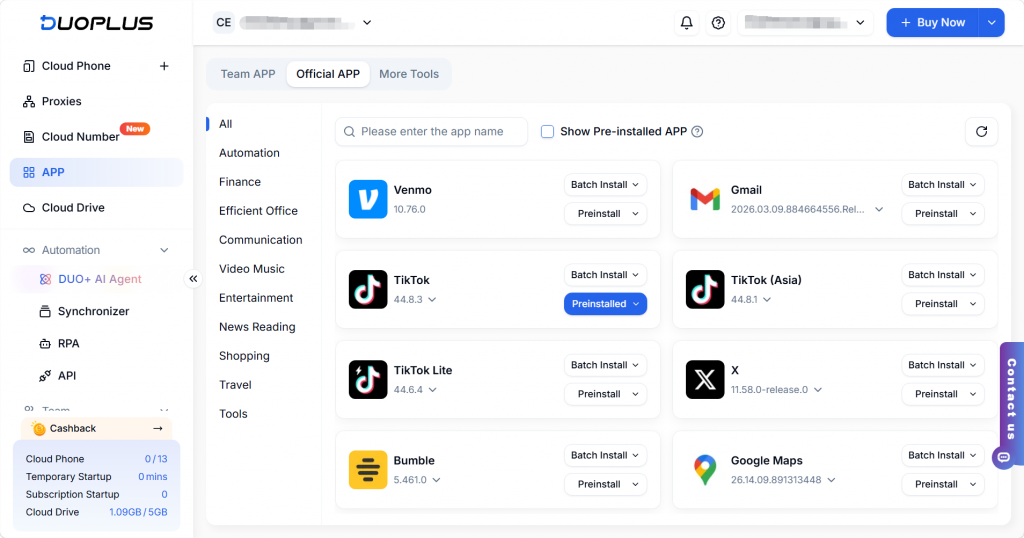
DuoPlus Cloud Phone supports one-click installation of major apps including TikTok, Facebook, and Telegram, plus app version management to minimize compatibility issues and ensure stable operations.
With multiple installation methods and batch management, teams can deploy required apps across devices in minutes—saving significant time and operational costs.
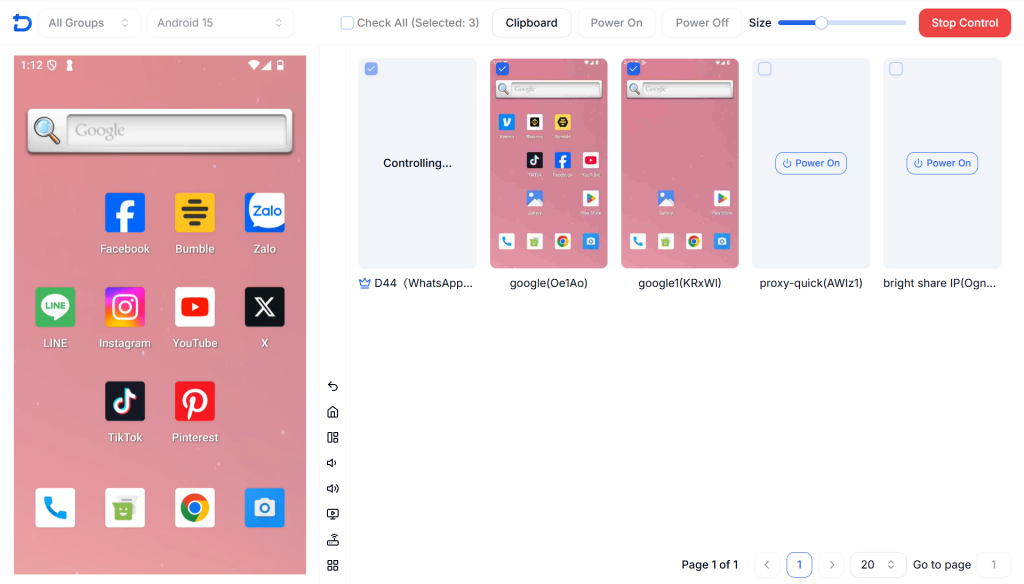
DuoPlus Cloud Phone lets you synchronize actions from one cloud phone to multiple others, enabling streamlined multi-account management.
Operation Synchronizer shifts teams from “one-by-one account handling” to centralized, scalable management—boosting efficiency while maintaining natural account behavior.
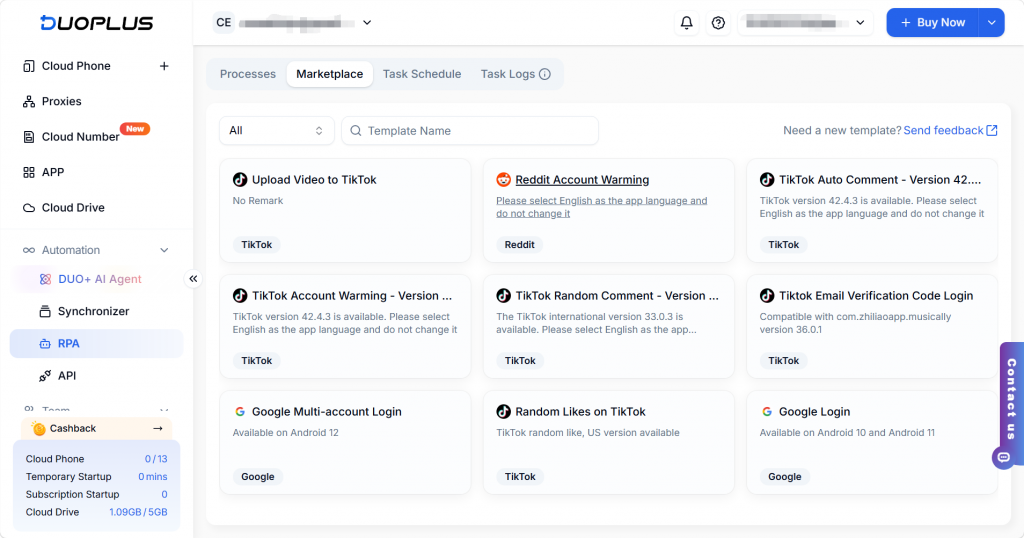
DuoPlus Cloud Phone integrates RPA to automate standardized, repetitive tasks.
By running tasks on isolated cloud phones, RPA mimics real user behavior closely—improving efficiency while reducing the risk of account restrictions.
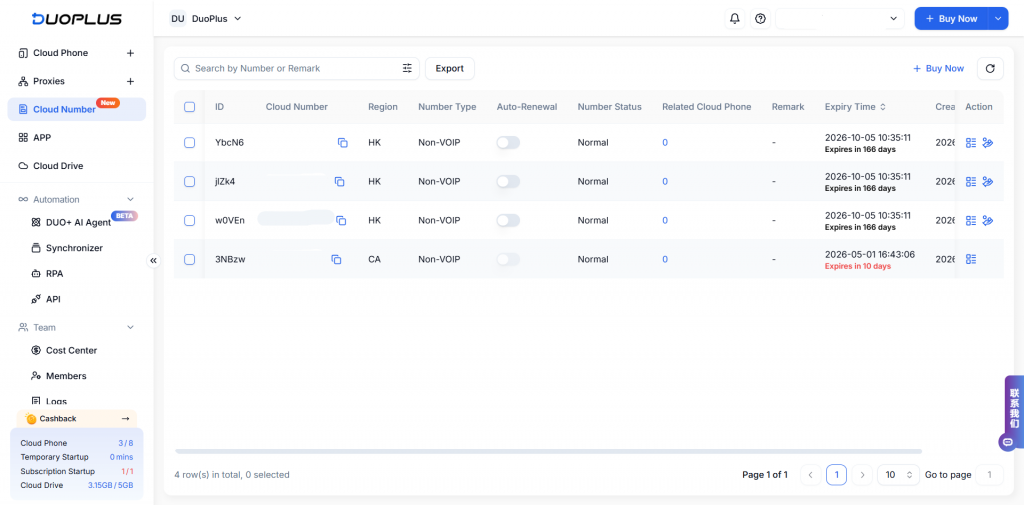
DuoPlus Cloud Phone allows users to purchase physical and virtual phone numbers and bind them directly to cloud phones for secure account registration and verification.
Cloud Numbers unify device and phone number management, reducing operational friction while boosting account reliability and continuity.
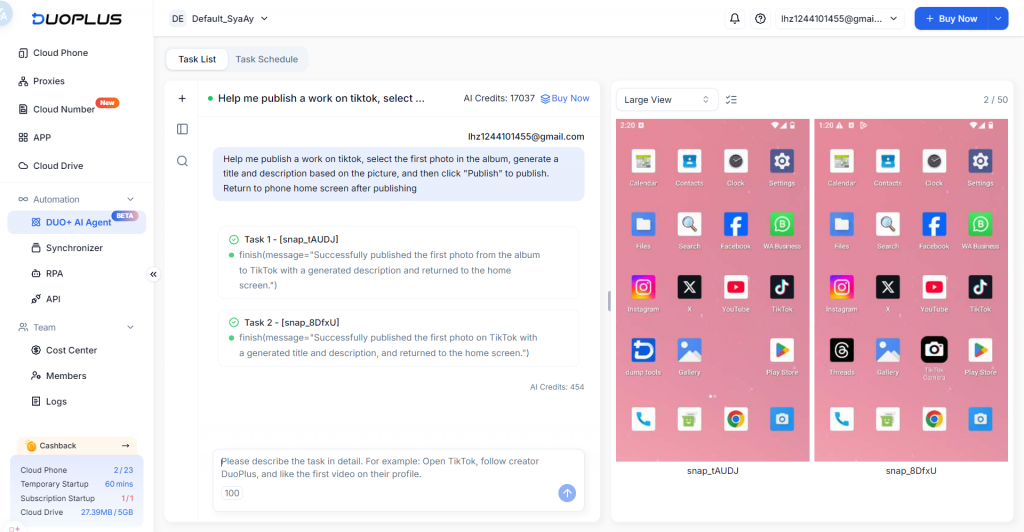
DuoPlus Cloud Phone now features an AI-powered automation assistant built on AI Agent technology. It deeply understands user instructions and executes tasks automatically, helping teams complete app operations and workflows efficiently.
DUO+ AI Agent seamlessly integrates AI technology with the cloud phone environment, enabling intelligent automation and helping teams manage multiple accounts and scale operations more efficiently and reliably.
With device isolation and independent network configurations, sellers can securely manage store logins, product listings, and customer communication while reducing account linkage risks.
Operate Facebook, Instagram, TikTok, Twitter/X, Tinder, and other accounts independently across cloud phones to build a stable social media matrix.
Test app performance, workflows, and new features across different environments without additional hardware.
Team members can access their work environment through DuoPlus without managing physical devices—enabling true cloud-based collaboration.
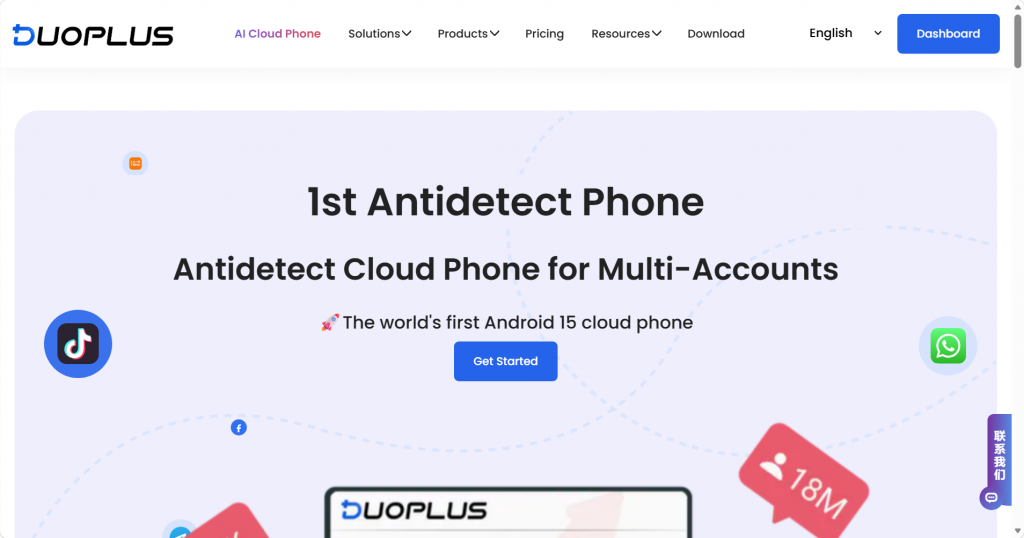
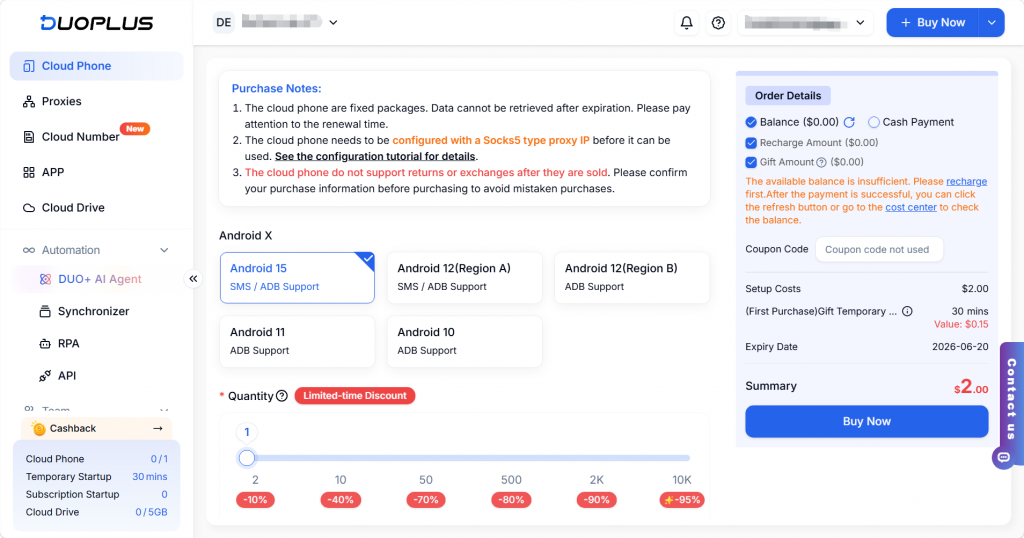
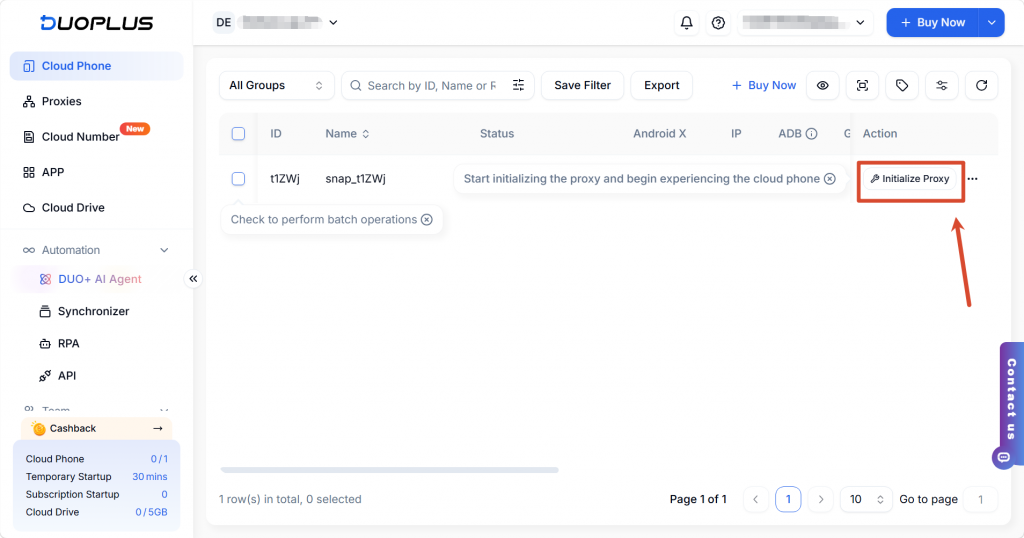
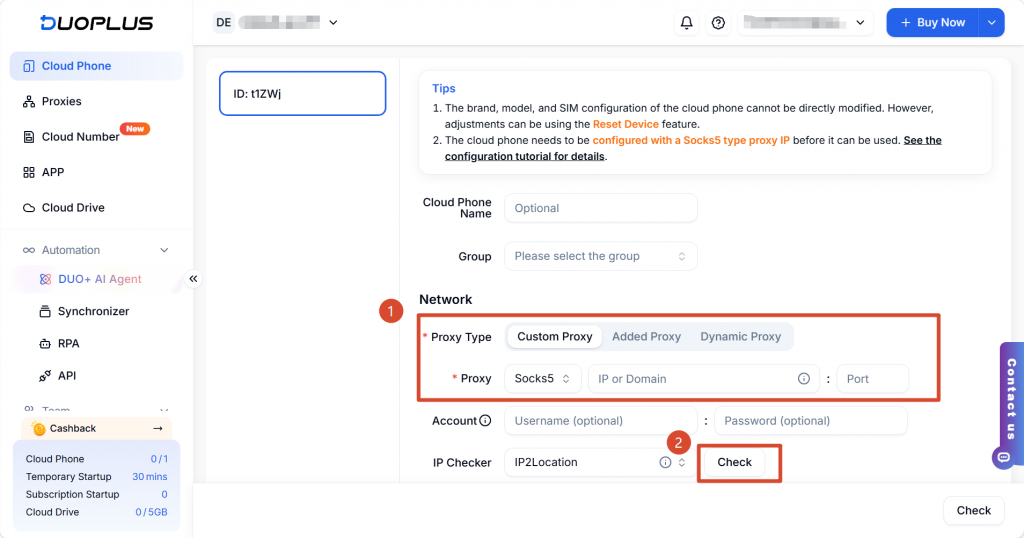
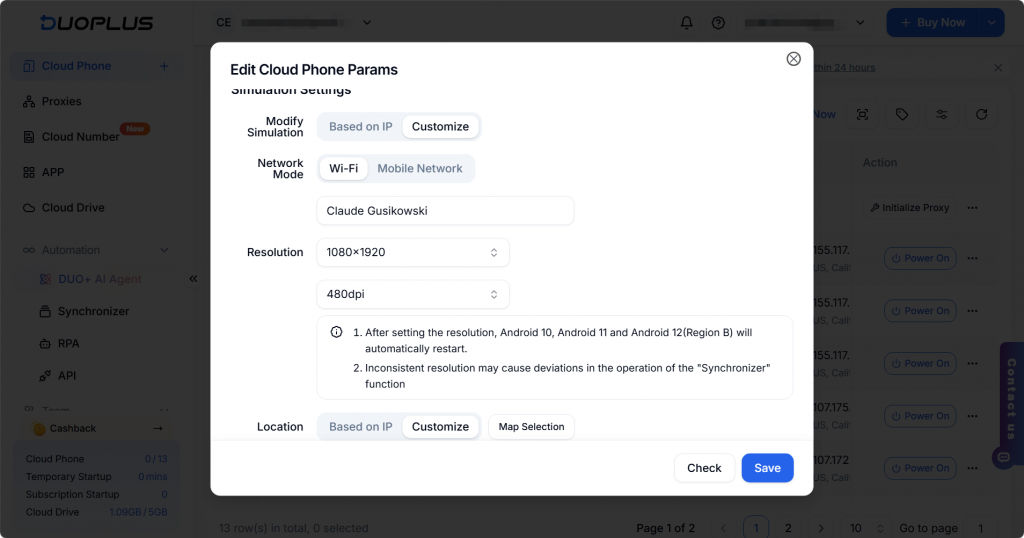
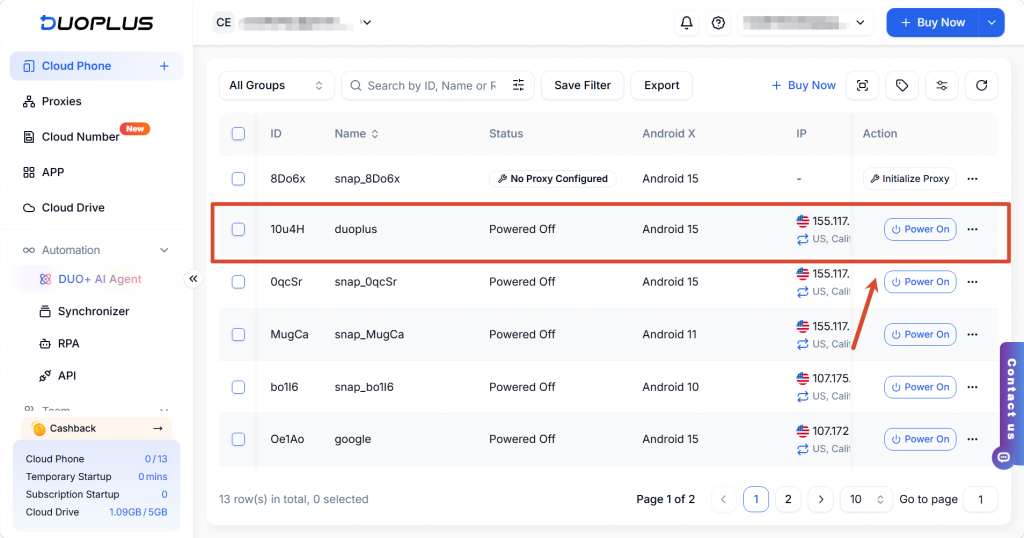
Your cloud phone is now ready for use.
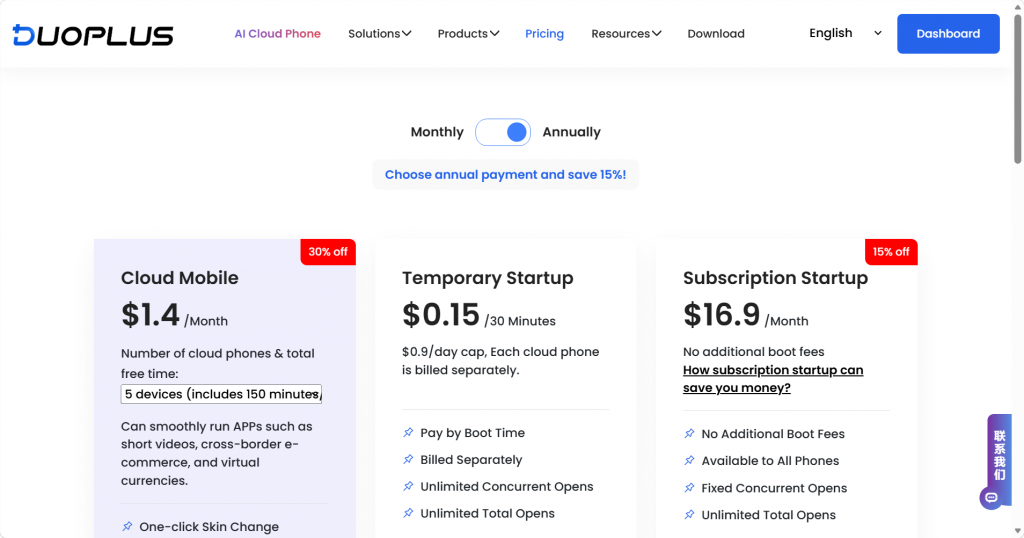
DuoPlus Cloud Phone offers flexible subscription plans and power-on modes to fit different needs:
As global operations become the norm, devices should no longer be a barrier to growth. Through its cloud-native, centralized, and collaborative design, DuoPlus Cloud Phone provides teams with a lightweight and efficient solution for multi-account operations.
If your team is looking to reduce device costs, improve operational efficiency, and support scalable global growth, DuoPlus Cloud Phone is a solution worth exploring.
